Desktop app · macOS
v0.6.0Grove
A native Git client for the repos your agents work in.
Grove is a fast, native macOS Git client built in SwiftUI. It keeps up with monorepos, nests every worktree an agent spins up under the repository it came from, and gives you history, staging, rebasing and pull requests without leaving the window.
Free download · macOS 26 or later · updates itself.
- Worktrees nest under their repository, not beside it
- Stays fast on large repos and long histories
- Pull requests on GitHub, GitLab, Bitbucket and Azure DevOps
- Keeps fetching in the background, even with the window closed
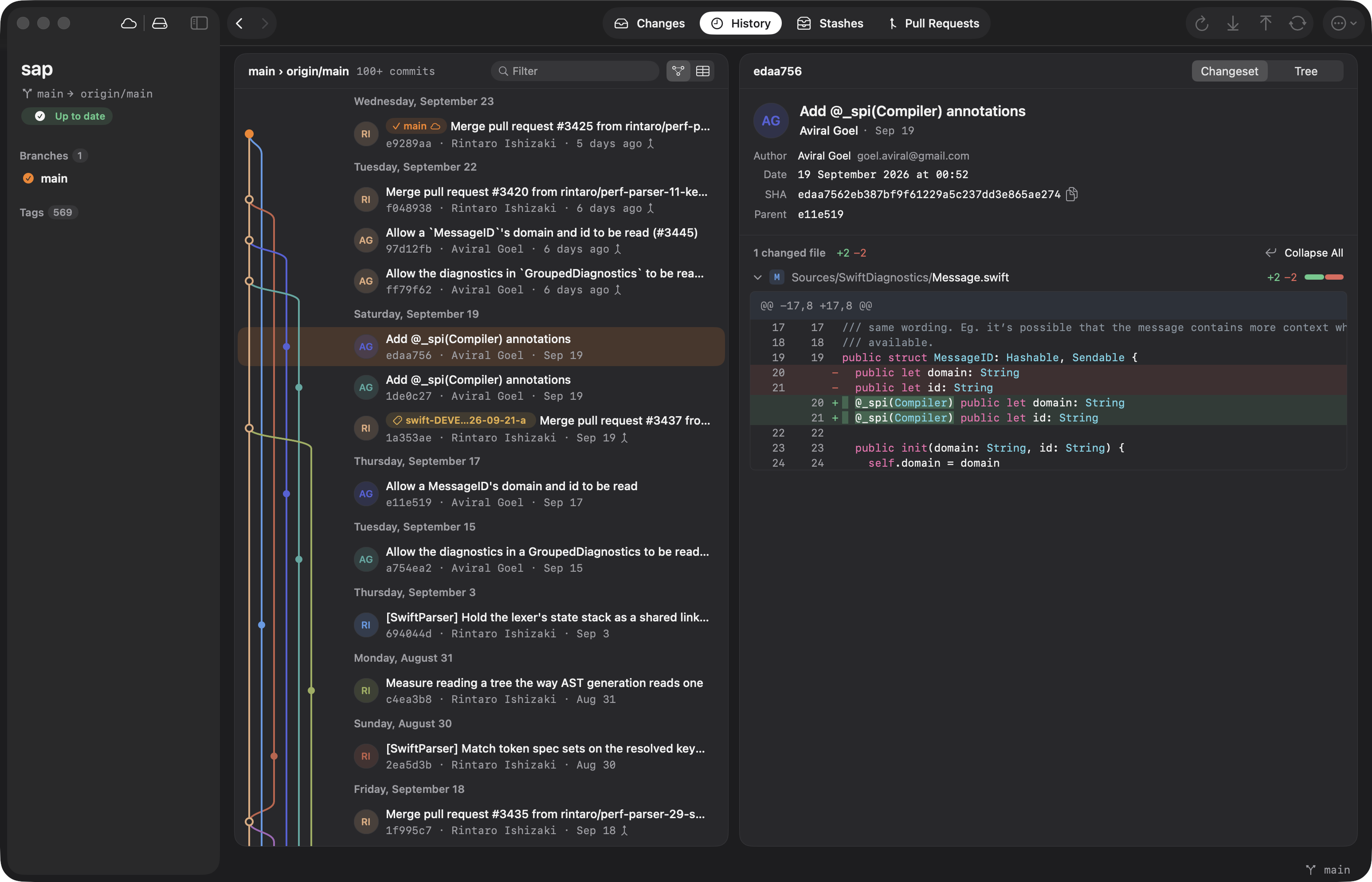
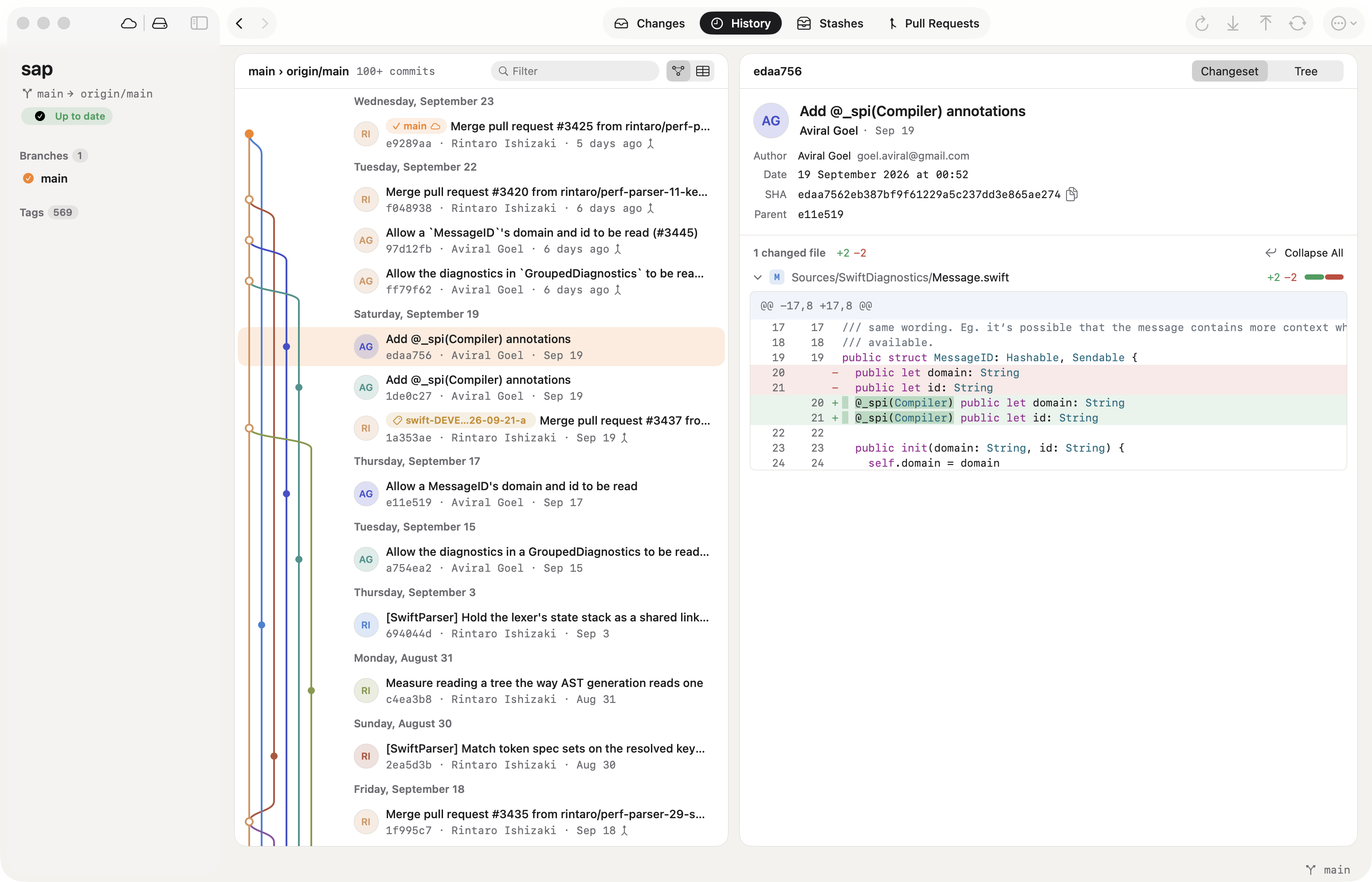
A lane graph across merges, the checked-out branch against its upstream, and the selected commit's changeset with syntax coloring.
Agents make branches faster than your Git client can show them.
Hand a few agents their own worktrees and your Git client fills up with folders that look like strangers — each one a separate repository, each one opened by hand. Meanwhile the big repo you actually work in takes seconds to switch branches. Grove treats worktrees as part of the repository they belong to, and stays quick on long histories.
Bring your repositories
Drop a folder in, or clone one from your hosting account. Clones run in the background while you keep working.
See what changed
History with a lane graph, unpulled and unpushed commits side by side, and diffs with syntax coloring.
Shape it before it ships
Stage hunks or single lines, squash a run of commits, or rebase interactively — every step undoable.
Send it for review
Push, open a pull request with the description filled in from your commits, and follow the review in the same window.
Worktree-aware
Linked worktrees sit under the repository they belong to. Branches checked out elsewhere are marked, and a double-click switches the window into that worktree — git runs there, your tab stays put.
Fast on big repositories
Git runs off the main thread, refs are read once and shared, and every commit's diff is cached — so switching branches in a monorepo is instant rather than a spinner.
History you can rewrite
Select a run of commits to squash them, or rebase interactively to reorder, reword, fix up or drop. Every rewrite warns when it touches commits you've already pushed.
Pull requests, everywhere
Create, review, comment on and merge pull requests on GitHub, GitLab, Bitbucket and Azure DevOps, with open PRs marked right on their branches.
Read the repository, not just the log
History logs your branch together with its upstream, so the commits you haven't pulled and the ones you haven't pushed show up interleaved by date, each marked. Select any commit for its changeset and tree; select several for a summary, a patch or a squash.
- Lane graph, or a compact table
- Unpulled and unpushed commits marked in place
- Reveal any branch, tag or stash in the graph
- Syntax-colored diffs that stay fast on big files
- Windows and tabs
- Any number of windows, native tabs, and mouse back and forward across repositories and views.
- Background fetch
- Open repositories keep fetching while you work elsewhere — and after you close the window — so the unpulled count is already there when you look.
- Git LFS, git-flow and SVN
- LFS files are marked and pulled with every sync, git-flow runs natively, and git-svn clones fetch from and commit to Subversion.
- Identities and signing
- Named commit identities per repository, a signing setup you can test, and 1Password's SSH agent and signer when you use them.
- Patches, snapshots and exports
- Create and apply patches, save a snapshot of your changes without touching them, and export any commit, branch or tag as a ZIP.
- A command line tool
- Install `grove` from the app, then `grove .` opens the repository you're standing in, in a new tab.
Is my code sent anywhere?
No. Grove runs git on your Mac. The only network calls are the ones git makes to your remotes, and the hosting APIs for the accounts you add yourself — each token is stored in your Keychain and only sent to the service it belongs to.
Do I need the GitHub or GitLab CLI?
No. Sign in with a personal access token in Preferences, or import an existing gh or glab login. Grove talks to the hosting APIs directly.
I use Tower today. Can I bring my setup?
Yes. Settings › Advanced imports your repository list, groups and service accounts from Tower in one step.
How does it stay up to date?
Grove checks for signed updates once a day and installs them when you say so. Turn on beta updates in Preferences to get new features early.
What does it cost?
Nothing. Download it and use it.
- v0.6.0
Highlights
- The commit message box now has corners that fit inside its card.
- GroveKit, for apps that use it: - `ShellResult` has a public initializer, and `GitRunner`'s defaults are nonisolated, so runners outside GroveKit build without spelling them out. - `DiffParser.parse(_:)` and `DiffParser.fileDiffs(patch:nameStatus:)` are public, as are `DiffResult` and `FileDiff` initializers. - `diff(from:to:)` diffs two revisions. Breaking: it is a new `GitRepositoryProtocol` requirement, so other conformers add it. - `BlameViewModel.open(file:revision:)` blames a file at any ref. - `CommitGraphBuilder.append(_:)` adds a page of commits to the graph without rebuilding it. - Public `ListSelection.init()` and `focus`, `WorkingCopyViewModel.selectedPath`, `PendingHunkDiscard.action` and `RestackPlan.steps`; `PullRequestHost.headRef(number:)`'s default is nonisolated. - `RefName.isValid(_:)` validates ref names and `BranchTreeNode.build(_:)` nests branches into folders. Breaking: `ReflogViewModel.isValidBranchName(_:)` is now `RefName.isValid(_:)`. - `RefActionsViewModel` runs branch, tag, remote, submodule and worktree actions (checkout, rename, delete, merge, rebase, tracking, worktree removal) with undo records, so apps no longer rebuild them. - `GitRepository(path:runner:hosting:naming:)` takes a `GitNaming` for its scratch files, the restack plan's folder and the branch-parent config key; it defaults to `grovekit` names. Pass `GitNaming(name: "grove")` to share restacks and branch parents with Grove. - `ViewModelPreferences.store` and `keyPrefix` (default `grovekit.`) keep the view models' settings apart from an app's own. `HostingError` messages no longer mention Grove or its Settings. - Worktree files, renames and the Trash go through the runner: `WorktreeResolver.mainRepositoryPath(forWorktreeAt:runner:)` and `linkedWorktrees(ofRepositoryAt:runner:)`, `GitRunner.trashItem(at:)` and `watch(_:latency:isRelevant:onChange:)` (both with defaults), and `trashFiles(_:)`. Breaking: `trashFiles(_:)` is a new `GitRepositoryProtocol` requirement, and `moveFile(from:to:)` refuses to overwrite. - `RepositoryWatcher(path:runner:latency:onChange:)` watches a repository through its runner; a linked worktree watches its own git state and the shared refs, ignoring sibling worktrees. - An `onAction: GroveKitActionHandler?` hook on the view models reports each git action they run as a `GroveKitAction`, with whether it succeeded and no user data, for telemetry.
- A window on a worktree now refreshes when its branches change outside Grove, and no longer refreshes for activity in the repository's other worktrees.
- v0.5.1
Highlights
- Exporting a file from its history now saves the real content of Git LFS files instead of the LFS pointer.
- v0.5.0
Highlights
- Get a notification when a workflow run finishes: turn on "Notify me when it finishes" when running a workflow, or pick "Notify When Finished" on a running run. Clicking the notification opens the run.
- Run Workflow leaves an input empty when its default is `null` instead of filling in the text "null".
- Click a stack in the sidebar to open it in the Stack tab; the stack on screen stays selected in the sidebar.
- The Stack tab's title now opens a searchable stack switcher, like the repository switcher.
Give your worktrees a home.
Open the repository your agents work in and watch every branch and worktree they make land where it belongs.
v0.6.0 · macOS 26 or later